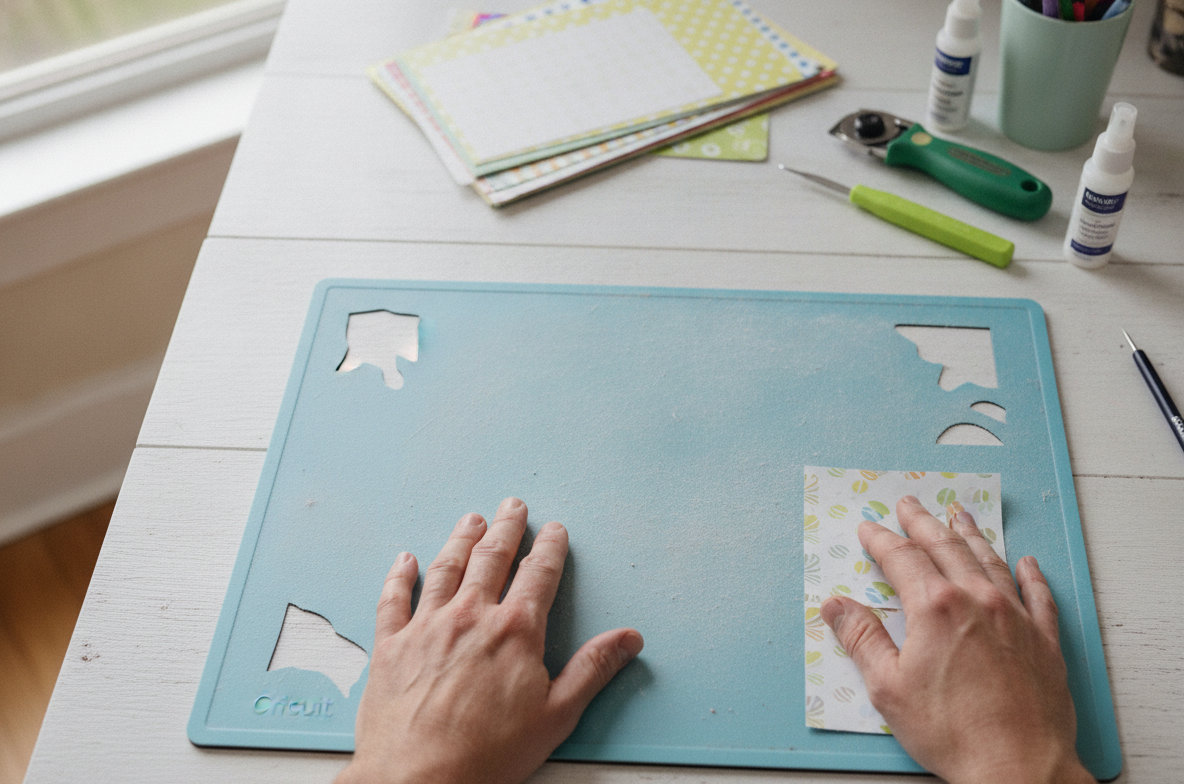
A Cricut cutting mat that has lost its stickiness is a frequent frustration for many crafters. When your project materials fail to adhere properly or shift during the cutting process, it can lead to wasted supplies and disappointing results. This common problem often arises from a few key factors: accumulated debris, improper cleaning routines, or simply the natural aging of the mat's adhesive. Understanding the specific reason your mat is no longer sticky is the first step toward deciding whether a simple cleaning will suffice, if re-sticking is an option, or if it is time to invest in a new mat. Addressing the issue promptly saves both time and materials.
Most Common Causes of a non sticky Cricut Mat
Accumulated Debris and Dust
The most prevalent reason a Cricut mat loses its grip is the gradual accumulation of tiny fibers, dust, and minute material scraps. Every time you cut materials like cardstock, vinyl, or various fabrics, microscopic particles inevitably transfer from the material onto the adhesive surface. Over time, these fine particles build up, creating a barrier that prevents fresh material from adhering securely. This is a completely normal consequence of using any adhesive cutting mat. Regular maintenance is key to mitigating this buildup.
Material Residue
Beyond general dust, some crafting materials leave behind more substantial or problematic residues. For instance, glitter cardstock, felt, or even certain types of vinyl can deposit a sticky or slick film that is more challenging to remove than ordinary fibers. This residue can significantly compromise the mat's adhesive properties, making it feel less sticky even if visibly clean. Identifying the type of residue helps in choosing the most effective cleaning method.
Improper Storage
The way you store your Cricut mats directly impacts their longevity and stickiness. Leaving a mat uncovered, or storing it vertically in an area prone to dust, allows airborne particles to settle directly onto the adhesive. The clear protective sheet provided with every new mat is designed to shield the adhesive from such contaminants. Failing to replace this cover immediately after each use dramatically shortens the mat's effective life. Additionally, always store mats flat to prevent warping, as a warped mat cannot maintain even contact with materials, which also affects adhesion.
Age and Wear
All adhesive products, including Cricut mats, have a finite lifespan. Even with meticulous care, the mat's stickiness will naturally diminish over time due to repeated contact with materials, exposure to air, and the inherent chemical degradation of the adhesive. This process is accelerated for mats used frequently or with heavy, abrasive materials. A StandardGrip mat can typically endure anywhere from 20 to 40 cuts before its stickiness noticeably wanes, depending on the materials used and the user's cleaning habits. This natural wear is an unavoidable part of owning a cutting machine.
Using the Wrong Mat Type
Cricut offers a range of mats, each engineered with a specific adhesive strength to suit different material weights:
- LightGrip (Blue): Best for delicate materials such as printer paper, light cardstock, vellum, and construction paper.
- StandardGrip (Green): The most versatile option, ideal for medium-weight materials like vinyl, iron-on (HTV), heavy cardstock, patterned paper, and poster board.
- StrongGrip (Purple): Designed for heavy duty materials including chipboard, craft foam, balsa wood, leather, and thick fabrics.
- FabricGrip (Pink): Specifically formulated for fabrics, often used with a backing material, ensuring precise cuts without stretching.
Using a LightGrip mat for heavy cardstock will quickly exhaust its delicate adhesive. Conversely, attempting to cut delicate paper on a StrongGrip mat can tear the material and leave excessive adhesive residue, damaging both the project and the mat's surface. Make sure you are selecting the appropriate mat for your project's material to preserve both your mat and your crafting supplies.
Cricut Maker 4 vs Explore 4: Which Smart Cutter for Your Crafts?Environmental Factors
Environmental conditions can also influence a mat's perceived stickiness. High humidity, for example, can cause the adhesive to absorb moisture, making the surface feel slick and less tacky. In contrast, very dry conditions can accelerate the drying out and hardening of the adhesive. Exposure to extreme temperatures, such as leaving a mat in direct sunlight or a hot vehicle, can permanently degrade the adhesive properties. Always store your mats in a stable, room-temperature environment, away from direct heat or excessive moisture.
How to Clean and Re-stick a Cricut Mat
Before you consider purchasing a new mat, attempt a thorough cleaning. Many times, a proper cleaning can significantly restore enough stickiness for numerous additional projects.
Method 1: Baby Wipes (For Light Debris and Dust)
For light accumulations of dust, fibers, or minor surface grime, a non-alcoholic, fragrance-free baby wipe is often surprisingly effective.
- Lay your Cricut mat flat on a clean, hard surface.
- Take a fresh baby wipe and gently wipe the entire adhesive surface. Move the wipe in one consistent direction across the mat to effectively pick up debris, rather than just spreading it around. Avoid scrubbing aggressively.
- Allow the mat to air dry completely, adhesive side up. This process can take several hours, so plan accordingly. Do not use heat sources like hair dryers, as this can damage the adhesive.
- Once the mat is thoroughly dry and tacky to the touch, replace its clear protective cover.
This method is gentle enough for frequent use and helps maintain stickiness between deeper cleans. The cost for a single cleaning is negligible, typically less than $0.50.
Method 2: Dish Soap and Water (For Heavier Residue and Deep Cleaning)
For more stubborn grime, embedded fibers, or sticky material residues, a deeper clean using mild dish soap and water is the most reliable approach.
- Fill a clean sink or basin with lukewarm water and add a few drops of a mild dish soap (e.g., Dawn or Palmolive). Avoid harsh detergents.
- Submerge your Cricut mat completely in the soapy water.
- Using a soft-bristled brush, such as an old toothbrush or a soft-bristle dish brush, gently scrub the adhesive surface in circular motions. You will observe the embedded gunk and residue lifting off the mat. Pay particular attention to areas with heavy buildup.
- Rinse the mat thoroughly under cool, running water. It is essential to remove all traces of soap residue, as any remaining film can affect stickiness.
- Gently pat the non-adhesive edges of the mat dry with a paper towel.
- Lay the mat flat on a clean, dry surface, adhesive side up, and allow it to air dry completely. This is the most critical step. Patience is required, as complete drying can take anywhere from 12 to 24 hours. The mat will regain its tackiness as it dries.
- Once the mat is fully dry and feels sticky again, carefully reapply its clear protective cover.
This method is highly effective for significantly restoring a mat's stickiness. The cost per cleaning is minimal, typically less than $1.
Method 3: Lint Roller or Masking Tape (For Quick, Temporary Fixes)
For very minor surface dust or stray hairs that accumulate during a project, a lint roller or a strip of masking tape can provide a quick, temporary solution. Simply press the sticky side of the roller or tape onto the mat's surface and lift away the debris. While convenient for immediate needs, this method will not remove embedded fibers or sticky residues and is best suited for quick touch-ups between more thorough cleanings.
Re-sticking Solutions (Use with Extreme Caution)
Some crafters explore applying new adhesive to their mats when stickiness is severely compromised. Applying new adhesive can void your machine's warranty and, if done improperly, can lead to adhesive transferring into your machine, causing damage to rollers or internal components. If you decide to attempt this, use a specialized repositionable adhesive spray, such as Elmer's Craft Bond Repositionable Spray Adhesive, or a temporary fabric adhesive. Apply it in an extremely thin, even layer in a well-ventilated area, far away from your cutting machine. Always conduct a test on a small, inconspicuous area first. This process can be messy, and the consistency and longevity of the results vary significantly. For consistent and reliable performance, purchasing a new mat is often a more dependable and less risky investment.
When to Replace Your Cricut Mat
Despite your best efforts at cleaning and maintenance, there will come a time when a Cricut mat simply loses too much of its adhesive power to be reliably used. If your materials consistently shift, lift, or fail to adhere securely even after thorough cleaning, it is a clear indication that it is time for a replacement. Continuing to use an overly worn mat often leads to frustrating project failures, wasted expensive materials, and inaccurate cuts.
A new Cricut StandardGrip mat typically costs between $10 and $15 individually, though the per-mat cost decreases significantly when purchased in multi-packs. Considering the cost of crafting materials like premium vinyl or specialty cardstock, replacing a worn-out mat is a relatively small investment that directly protects your creative output and ensures successful projects. A damaged mat can lead to inaccurate cuts, potential jamming, and even damage to your Cricut machine's rollers or blade housing.
For reliable performance and convenience, the Cricut StandardGrip Adhesive Cutting Mat (12in x 12in) - 3 Pack, Green is an excellent choice for most crafters. These mats are specifically engineered to offer the best possible adhesion for a wide variety of medium-weight materials, ensuring smooth, hassle-free cutting experiences. Based on product specifications and user reviews, these mats consistently deliver the precise grip needed for successful crafting projects.

- Enjoy smooth, hassle-free cutting with Cricut StandardGrip Mat for crafting. Acting as an interface.
- Each Cricut mat is designed to offer the best possible adhesion and the longest possible life. The 12in x.
- Carefully engineered to take on a wide variety of medium-weight materials, these Cricut mats are.
- The pack consists of 3 Cricut StandardGrip Machine Mats to assist you with your crafting. Load one in the.
Crafters who frequently use their machines and go through mats quickly will find exceptional value in the Cricut StandardGrip Cutting Mat Pack (6 count, 12in x 12in). This larger pack provides six reusable machine mats, all designed for medium-weight materials. Each mat in this pack is made with a long-lasting adhesive, making them perfectly suited for daily crafting with materials such as vinyl, iron-on, heavy cardstock, and patterned paper. Opting for this multi-pack ensures you always have a fresh, ready-to-use mat available, minimizing interruptions to your creative flow.

- 6 reusable machine mats 12 in x 12 in (30.5 cm x 30.5 cm)
- Use for medium-weight materials like vinyl, iron-on, heavy cardstock & patterned paper
- Made with long-lasting adhesive
- Durable, won't crack
For those seeking a more budget-conscious option that retains compatibility with Cricut machines, the Gwybkq Standard Cutting Mat 12x12, 8 Pack Sticky Green Mats for Crafts offers a compelling alternative. These mats are fully compatible with Cricut Maker, Maker 4, Explore Air 2, Air, and One machines. This generous 8-pack provides a practical and cost effective cutting solution for a broad spectrum of medium-weight materials, including HTV. Researched from user reviews, these mats are a solid choice for crafters looking for an economical yet effective mat solution.
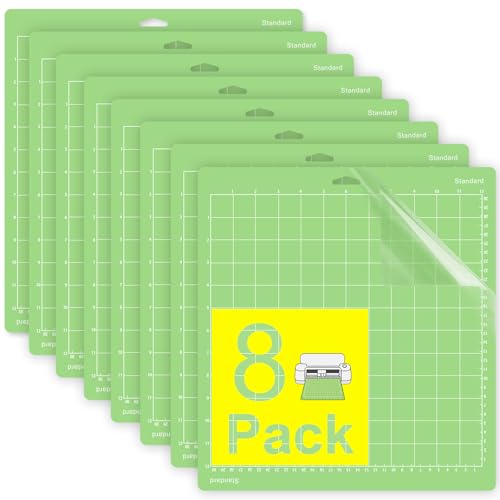
- The green standard grip cutting mat is ideal for a wide range of medium-weight materials such as HTV.
- 12x12 cutting mat compatible with Cricut Maker, Maker 4, Explore Air 2, Air, and One. A practical cutting.
- Made of high quality PVC with a strong, odorless adhesive that keeps materials securely in place during.
- The adhesive surface holds materials firmly to prevent slipping, ensuring clean and accurate cuts. Works.
Tips for Extending Your Cricut Mat's Life
Implementing proper care routines can significantly extend the functional life of your cutting mats, saving you money and reducing frustration.
- Always Replace the Protective Cover: This is arguably the most critical step in mat maintenance. Immediately after removing your cut material, place the clear plastic protective sheet back onto the mat. This simple action prevents dust, pet hair, and airborne debris from settling on and degrading the adhesive surface.
- Scrape Off Residue Promptly: After each cutting session, use a Cricut scraper tool or a similar plastic scraper to gently remove any small pieces of material, fibers, or adhesive residue left on the mat. Performing this step before storing the mat prevents buildup from hardening and becoming more difficult to remove later.
- Store Mats Flat: Proper storage prevents warping and keeps the mat clean. Store your mats flat, either by hanging them from a clip on a wall or by keeping them in a dedicated mat storage folder or flat drawer. Storing mats rolled, bent, or propped against a wall can cause them to warp, which compromises material adhesion and can lead to feeding issues with your machine.
- Use the Right Mat for the Material: Always match the grip strength of your mat to the weight and delicacy of your material. Using a mat with too strong an adhesive for a delicate material will leave excessive residue and potentially tear the material. Conversely, a mat with too weak an adhesive will allow materials to shift, leading to inaccurate cuts.
- Clean Gently and Regularly: A light cleaning with a baby wipe after every few uses can prevent heavy buildup and maintain consistent stickiness. Reserve deeper cleanings with soap and water for when significant residue accumulates. Over-cleaning can also wear down the adhesive.
- Avoid Touching the Adhesive: Minimize direct skin contact with the adhesive surface as much as possible. Oils and dirt from your fingers can transfer to the mat, degrading the stickiness over time. Handle mats by their non-adhesive edges.
When to Call a Professional (Rare for Mats)
For issues specifically related to the mat's stickiness or general wear, professional repair services are not typically necessary. The cutting mat is designed as a consumable accessory that is meant to be replaced periodically. However, if your Cricut machine itself is exhibiting problems such as consistent mat feeding errors, unusual grinding noises, or a failure to recognize the mat, then the issue may lie with the machine's rollers, sensors, or internal motor. In such instances, consult your machine's user manual for detailed troubleshooting steps. If problems persist, contacting Cricut customer support is advisable. Repair costs for machine-related issues can vary widely, ranging from approximately $50 for minor adjustments or sensor cleaning to over $200 for major component replacements, depending on your machine's warranty status and the extent of the damage.
Singer Heavy Duty 4423 Keeps Jamming? Causes and FixesConclusion
A non sticky Cricut mat does not signal the end of your crafting journey. The majority of stickiness issues can be effectively resolved through simple, routine cleaning methods, such as using baby wipes for light debris or a dish soap and water solution for more stubborn residues. When cleaning no longer restores sufficient grip, or if the mat is physically damaged, replacing it with a new one is the most reliable and often most cost effective solution. By understanding the common causes of lost stickiness and consistently applying proper mat care routines, you can significantly extend the life of your cutting mats and make sure your Cricut projects are always successful and precise.